
Download Choopy – No‑Code AI Chatbot Builder, Free & Secure
Introduction: Why a No‑Code Chatbot Builder Is Essential in 2025
Conversational AI has moved from a futuristic concept to a daily business requirement. Customers expect instant answers, teachers want interactive tutoring tools, and developers are constantly searching for ways to speed up support workflows. Yet, most chatbot platforms still demand a steep learning curve, proprietary SDKs, or costly enterprise licenses. Choopy tackles this problem head‑on by offering a fully web‑based, no‑code environment that lets anyone—from a solo freelancer to a K‑12 educator—design, train, and deploy a functional AI chatbot in under an hour.
The platform’s promise is simple: remove technical barriers while delivering a secure, scalable AI engine. By leveraging a drag‑and‑drop canvas, Choopy enables users to map conversation flows visually, attach API calls, and test interactions in real time—all without touching a single line of code. Because everything runs in the browser, there’s no heavyweight installer, no local server, and no maintenance overhead. This makes the tool especially attractive for remote teams that need to collaborate across Windows, macOS, Linux, Android, or iOS devices.
Security is baked in from day one. All data travels over HTTPS, credentials are stored using salted hashing, and a “Private Instance” option isolates data on dedicated servers for enterprises that must meet strict compliance standards. The free tier provides unlimited bot creation with a modest monthly interaction cap, allowing users to prototype and evaluate ROI before committing to a paid plan. In the sections that follow, we’ll explore Choopy’s core capabilities, walk through the onboarding process, and weigh its strengths against potential drawbacks, helping you decide if this tool fits your AI‑driven ambitions.
Detailed Overview: Core Capabilities and Real‑World Use Cases
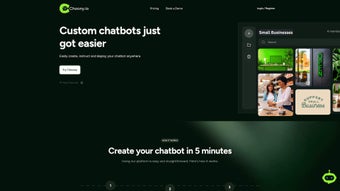
Choopy is a cloud‑hosted AI chatbot creation platform designed for non‑technical users. After signing up, you choose from a library of pre‑built templates—such as “Customer Support,” “FAQ Bot,” “Course Tutor,” or “Event Assistant.” Each template populates the canvas with a starter conversation tree, which you can customize by dragging visual blocks that represent intents, conditions, responses, or external API calls.
The platform integrates seamlessly with leading large‑language models (LLMs) like OpenAI’s GPT‑4, Anthropic’s Claude, and other provider‑agnostic APIs. This means the bot can understand free‑form user input and generate natural‑language replies without manually scripting every possible query. For advanced scenarios, you can attach webhooks or embed custom JavaScript snippets, allowing you to pull product data from an e‑commerce backend, create dynamic reservation systems, or push conversation logs to a CRM.
From a usability standpoint, the interface is split into three zones: a left‑hand component library, a central canvas that visualizes the conversation flow in real time, and a right‑hand properties pane where you fine‑tune AI settings (temperature, max tokens, fallback intents). The built‑in preview window lets you test both text and voice inputs on the fly, while the analytics dashboard tracks metrics like session duration, user satisfaction scores, and fallback rates. These insights enable continuous improvement through data‑driven adjustments.
Security and compliance are also front‑and‑center. All data exchange occurs over HTTPS, and Choopy offers optional data residency options for EU‑based users. The free tier limits monthly active interactions and analytics depth, but still provides a generous sandbox for experimentation. For organizations that require stricter controls, the Private Instance plan isolates your bots on dedicated hardware, ensuring that no data ever leaves your trusted environment.
Overall, Choopy balances simplicity with enough depth to satisfy both novices and power users. Its browser‑first design ensures that teams can collaborate in real time, regardless of operating system, making it an ideal choice for distributed workforces, classroom settings, or small businesses looking to automate repetitive conversations without hiring a developer.
Features, Pros & Cons: What Sets Choopy Apart
- Intuitive drag‑and‑drop conversation builder with live preview.
- Hundreds of ready‑made templates for support, education, sales, and more.
- Native integration with top LLM providers (GPT‑4, Claude, etc.).
- Custom webhook and JavaScript support for advanced logic.
- Comprehensive analytics dashboard with engagement metrics.
- Responsive web UI works on Windows, macOS, Linux, Android, and iOS browsers.
- Full HTTPS encryption; optional Private Instance for enterprise isolation.
- Free tier with unlimited bot creation, capped monthly interactions.
- Multilingual support for over 20 languages and right‑to‑left scripts.
- Exportable JSON configuration for backup or migration.
Pros
- Zero‑code entry: Anyone can start building bots immediately.
- Rapid prototyping: Functional chatbot in under 30 minutes.
- Cross‑platform accessibility: Runs in any modern browser.
- Powerful AI engine: Leverages state‑of‑the‑art LLMs without exposing API keys.
- Generous free tier: Ideal for testing and small‑scale projects.
- Actionable analytics: Data‑driven insights help refine performance.
Cons
- Requires JavaScript to be enabled; strict corporate policies may block it.
- Deep customizations still need some scripting knowledge.
- Enterprise pricing is not publicly disclosed, which can deter large buyers.
- Free tier caps monthly active interactions, limiting high‑traffic pilots.
- No dedicated native mobile app; all interactions occur through the web UI.
Installation, Usage & Compatibility: Launch Your First Bot in Minutes
Because Choopy is entirely cloud‑based, there is no traditional installation. The only prerequisite is a stable internet connection and a modern browser that supports JavaScript, HTML5, and CSS3. Follow these steps to get your first chatbot up and running:
- Visit the official site: Go to choopy.com and click “Sign Up.”
- Create an account: Enter a valid email, set a strong password, and confirm via the verification link.
- Select a template: After logging in, browse the template library and pick one that matches your use case (e.g., “Customer Support”).
- Design the flow: Drag blocks from the left panel onto the canvas, connect them, and define conditions or responses.
- Configure AI settings: Choose the underlying language model, set temperature, max tokens, and enable fallback intents.
- Test in preview: Use the built‑in simulator to converse with your bot, adjusting blocks as needed.
- Deploy: Click “Publish” to receive an embed code (iframe) or a direct link that can be added to any website, landing page, or messaging platform.
- Monitor & iterate: Access the analytics dashboard to review usage stats, then refine the conversation tree based on real user data.
Compatibility: Since Choopy runs in the browser, it works on Windows 10/11, macOS Ventura+, popular Linux distributions, Android 8+, and iOS 13+. The only technical requirement is that JavaScript be enabled; users on highly restricted corporate networks should verify that script execution is permitted.
For developers who need deeper integration, Choopy provides API keys that allow programmatic access to bot instances, enabling you to embed the chatbot into native mobile apps, desktop software, or custom portals. Documentation includes code snippets for iframe embedding, RESTful endpoint calls, and Zapier‑compatible webhooks, ensuring that extending the bot’s functionality is straightforward.
The onboarding experience is deliberately frictionless. Even users with limited technical background can launch a functional chatbot within 15‑20 minutes, while power users can enhance capabilities through custom JavaScript or external APIs.
FAQ & Conclusion: Your Final Checklist and Next Steps
Is Choopy really free to use?
Choopy offers a free tier that includes unlimited bot creation and basic analytics, but it limits the number of monthly active interactions. For higher usage or premium features, you’ll need to upgrade to a paid plan.
Do I need any programming knowledge to build a bot?
No. The drag‑and‑drop builder lets you design conversation flows without writing code. Optional JavaScript snippets are available for users who want to add custom logic or API calls.
Which AI models does Choopy support?
Choopy integrates with leading large‑language models such as OpenAI’s GPT‑4, Anthropic’s Claude, and other provider‑agnostic APIs, giving you flexibility in choosing the model that best fits your budget and performance needs.
Can I embed the chatbot on my own website?
Yes. After publishing, Choopy generates an embeddable HTML snippet (iframe) and a direct link that you can place on any website, landing page, or even within a WordPress site.
Is my data safe when using Choopy?
All communications are encrypted via HTTPS, and the platform follows industry‑standard security practices. For enterprises, a private instance option provides isolated data storage to meet stricter compliance requirements.
Conclusion – Choopy delivers a compelling mix of ease‑of‑use, powerful AI, and cross‑device accessibility. Its no‑code canvas lowers the entry barrier for businesses, educators, and hobbyists, while the underlying language‑model integrations ensure conversations feel natural and helpful. The free tier is generous enough for prototyping, and the built‑in analytics give you actionable insights to continuously improve your bots. Minor drawbacks—such as the lack of a native mobile app and limited transparency around enterprise pricing—are outweighed by the platform’s speed, security, and flexibility. If you’re ready to automate support, enrich learning experiences, or simply experiment with conversational AI, sign up for Choopy today and have your first chatbot live in minutes.



.png)



